

Manual processes rarely announce their true cost. One extra phone call, a few additional clicks, or a report that has to be built by hand may not seem like much in isolation. Across hundreds of prescriptions, multiple shifts, and an entire year, however, those small tasks add up.
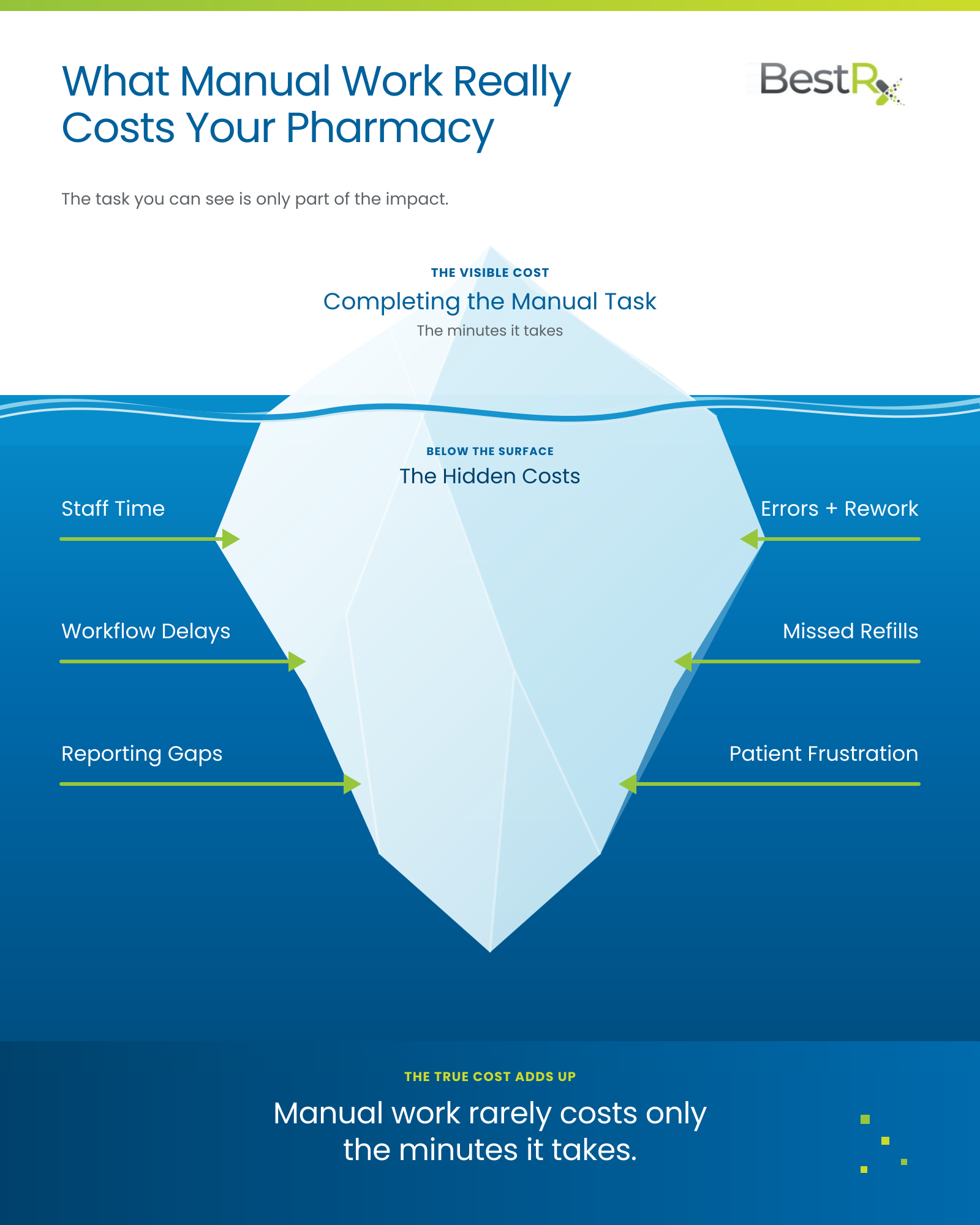
The most visible expense is staff time, but it’s only part of the picture. Manual work can also create more opportunities for errors, slow down prescription processing, contribute to missed refills, weaken reporting, and leave patients frustrated. These costs affect productivity, profitability, and the pharmacy’s ability to deliver personal care.
Pharmacy process automation doesn’t mean removing pharmacists or technicians from important decisions. It means allowing software to handle predictable, repetitive steps while the team focuses on exceptions, clinical judgment, and patient needs. Recognizing where manual work is creating friction is the first step toward meaningful pharmacy process improvement.
To see where pharmacy process improvement can have the greatest impact, let’s start with the resource every independent pharmacy feels most immediately: its team’s time.
Many pharmacy tasks take only a minute or two: processing a refill, transmitting a claim, printing a label, calling a patient, checking a prescription’s status, or running a report. The problem is repetition. When staff members complete the same steps dozens or hundreds of times, those minutes become hours.
The cost isn’t limited to payroll. Every hour spent on routine administrative work is an hour that can’t be used to counsel patients, resolve complex claim issues, monitor inventory, provide clinical services, or improve another part of the business.
Manual tasks can also create interruptions. A technician may stop filling prescriptions to answer a status call, then spend additional time finding the patient’s place in the pharmacy workflow process. Frequent context switching makes it harder to maintain momentum and can increase the mental effort required to complete even familiar tasks.
Automation can help pharmacies save time, improve efficiency, and create a more consistent experience. The first step is identifying how many manual touches a routine task requires and whether each one still adds value.
To learn more, check out our article on five benefits of automating manual pharmacy processes.
Every time information is entered, copied, or transferred manually, there’s an opportunity for something to be missed or entered incorrectly. Even when an error is caught before it reaches the patient, correcting it may require additional research, phone calls, claim reversals, reprinting, or documentation.
That rework has a cost. It slows down the original prescription and may delay other prescriptions waiting behind it. It can also make it difficult to determine whether a recurring problem stems from training, unclear procedures, or the design of the workflow itself.
Pharmacy automation software can help standardize repeatable steps, highlight required information, and prompt staff at important checkpoints. It can’t replace professional judgment or guarantee error-free operations, but it can reduce unnecessary variation and make critical steps harder to overlook.
BestRx’s customizable workflows can guide data entry, reduce screen switching, and help pharmacies arrange prescription-processing steps around their preferred workflow. Verification alerts can also remind staff to double-check prescriptions at defined points, including intake, filling, and patient handoff.
A manual process often depends on someone remembering what needs to happen next. A rejected claim may sit in a general queue. A prescription awaiting inventory may be tracked on paper. A future fill may depend on a note that another employee hasn’t seen.
These gaps create bottlenecks. Staff members spend time searching for information, asking coworkers for updates, or repeating work because the prescription’s status isn’t clear. Patients may wait longer even when the actual filling process is relatively quick.
A better pharmacy workflow process gives every prescription and exception a visible next step. Custom queues can separate rejected claims, inventory delays, deferred prescriptions, and other situations from routine work. Workflow triggers can then help move or flag tasks when configured conditions are met.
This type of pharmacy process improvement isn’t about making every pharmacy operate identically. It’s about creating a consistent path based on the way your team works, so employees don’t have to reinvent the process during every busy shift.
Manual refill outreach is easy to postpone. When phones are ringing and prescriptions are waiting, staff may not have time to review a call list, leave messages, document responses, and follow up again.
A missed reminder can mean more than one unfilled prescription. The patient may run out of medication, fill it elsewhere, or disengage from the pharmacy entirely. The team also loses an opportunity to identify adherence barriers, discuss medication changes, or coordinate other services.
Automation keeps routine outreach more consistent, while the pharmacy team remains available when a patient needs a real conversation.
Look for tools that connect directly with prescription data and can send refill reminders, pickup notifications, delay alerts, and other relevant messages without requiring staff to build every communication manually.
BestRx’s patient engagement tools support automated text and app notifications, refill reminders, prescription-ready alerts, and two-way messaging. Patients can also use the Your Local Pharmacy app to request refills, view prescription status, and contact the pharmacy.
A report can’t support a decision if it isn’t run, reviewed, or shared at the right time. When reporting depends on someone remembering to pull data and update a spreadsheet, important trends may remain unnoticed.
A pharmacy might not see that a queue is slowing down, refills are being missed, certain claims are consistently underpaid, or inventory is moving differently than expected. Delayed visibility can lead to delayed action.
Manual reporting can create questions about data quality as well. Separate files may use different date ranges or definitions, and older versions can continue circulating after more current information becomes available.
Better reporting doesn’t eliminate the need for analysis. It gives owners and managers more timely information so they can identify where pharmacy process improvement is needed.
BestRx’s custom report builder helps pharmacies organize operational information around the metrics they need to monitor. Scheduled reports can also be generated and delivered automatically at a selected frequency, reducing dependence on memory and making it easier to review performance consistently.
Patients experience pharmacy workflow problems differently than employees do. They don’t see the manual entry, disconnected systems, or unclear queue behind the counter. They see a prescription that isn’t ready, a repeat trip, an unanswered question, or another call they have to make.
Each inconvenience may seem minor, but repeated friction can weaken trust. Patients may become less likely to use additional pharmacy services, recommend the store, or remain loyal when another option appears easier.
Well-designed pharmacy automation solutions can improve the experience without making it feel impersonal. Automated notifications can answer routine questions before patients need to call. Clear prescription statuses can help staff provide faster answers. Organized queues can prevent exceptions from disappearing into the general workload.
When technology handles more of the coordination, staff members have more time for the human interactions patients remember.
The right place to automate depends on the pharmacy, but high-volume, repetitive, and rules-based tasks are often the strongest candidates. BestRx supports several areas where automation can reduce manual effort. These include:
Pharmacies should look for pharmacy automation software that combines configurable queues and triggers with alerts tied to specific points in the fulfillment process. The most useful systems keep those features inside the prescription workflow instead of requiring a separate task-management platform.
Automation should also be selective. A process involving clinical judgment, an unusual exception, or a sensitive patient conversation still requires direct staff involvement. The goal is to automate predictable work so the team has more capacity for those higher-value situations.
Cloud hosting and automation aren’t the same thing. The real value comes from choosing a connected system that makes information easier to access while reducing unnecessary manual work.
Top-rated cloud-based systems for pharmacy workflow automation should do more than provide remote access. They should connect automation with prescription processing, patient communication, reporting, and operational visibility.
When comparing options, consider whether the system offers:
BestRx offers cloud solutions for independent pharmacies, including a cloud-hosted version of its pharmacy management software and cloud-based tools for reporting and, where permitted, remote prescription verification. You can learn more about the operational considerations in The Benefits of Cloud-Based Pharmacy Software for Independent Pharmacies.
Pharmacy process automation doesn’t need to begin with a complete operational overhaul. Start with one recurring problem that consumes time or creates rework.
The hidden costs of manual processes grow quietly. Addressing them one workflow at a time can give your pharmacy more control over its time, data, patient experience, and capacity for growth.
BestRx pharmacy management software brings workflow customization, pharmacy automation solutions, patient engagement, reporting, and other operational tools into one connected system. Request a free BestRx demo to explore where automation could make the greatest difference in your pharmacy.